The Ultimate Guide to Email Marketing: Tips, Tools & Strategies

According to Mailchimp, 95% of marketers agree that email marketing offers excellent ROI, making it a cornerstone of modern marketing strategies. This guide dives deep into every aspect of email marketing, from automation and template design to ethical lead generation and spam prevention, providing a 360-degree view for beginners and seasoned marketers alike.

What is Email Marketing?

Email marketing involves sending targeted emails to a list of subscribers to promote products, nurture leads, or maintain customer relationships. It integrates with marketing automation to deliver timely, relevant messages based on user behavior, preferences, or demographics. The first commercial email was sent in 1978 by Gary Thuerk, marking the beginning of a communication revolution. Today, email marketing is powered by sophisticated tools, AI-driven personalization, and data analytics to maximize engagement and conversions.

Benefits of Email Marketing

  • High ROI: Email marketing delivers up to $36 for every $1 spent, per industry reports.
  • Personalization: Tailor messages to individual preferences, increasing open rates by 26%.
  • Scalability: Reach thousands of subscribers with minimal manual effort using automation.
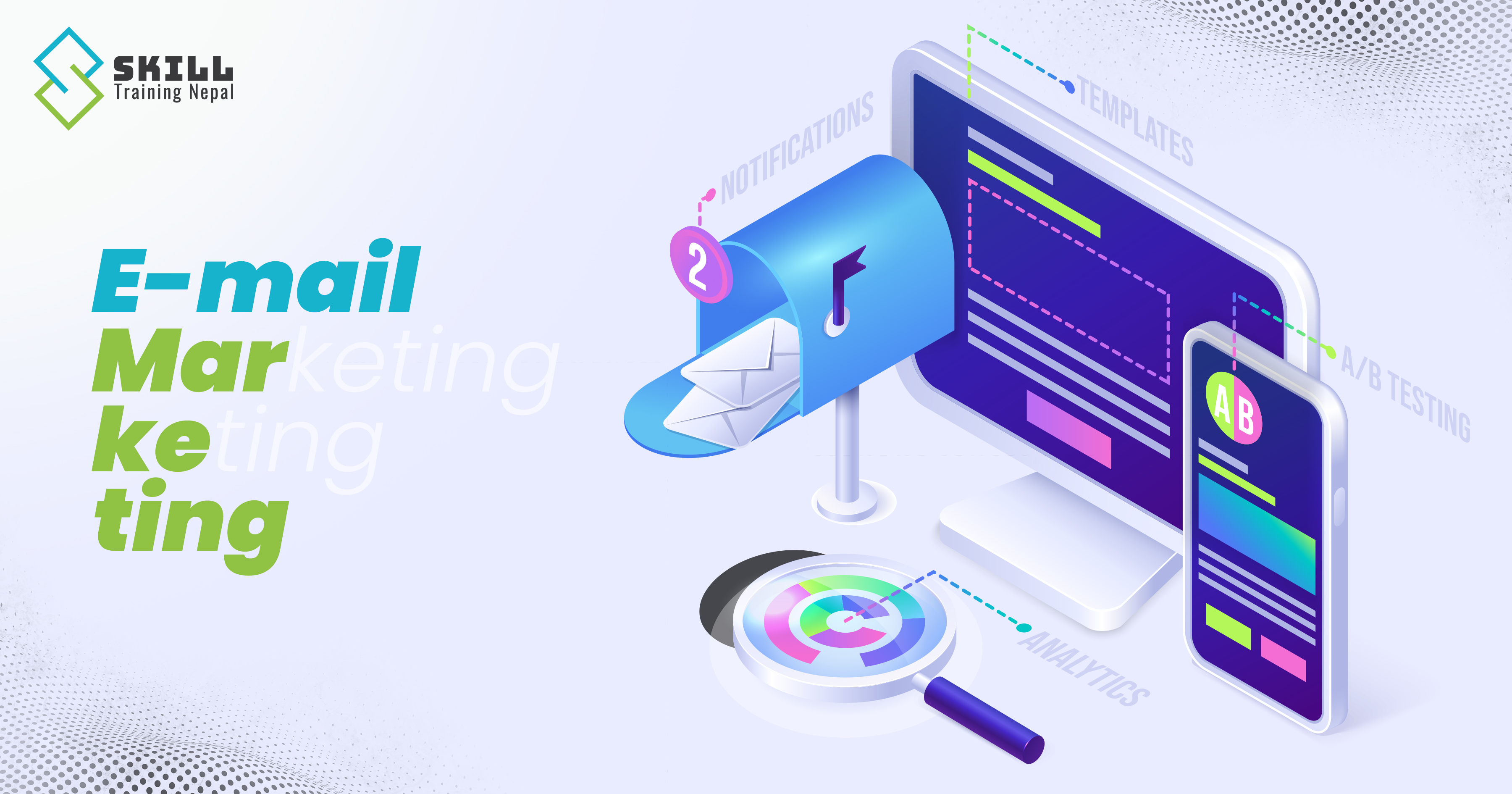
  • Measurable Results: Track opens, clicks, and conversions with real-time analytics.

Challenges

  • Deliverability: Emails must avoid spam filters to reach inboxes.
  • Compliance: Adhering to laws like CAN-SPAM, GDPR, and CASL is critical.
  • Engagement: Crafting compelling content to avoid unsubscribes or low engagement.

Email Automation

Email automation uses software to send pre-scheduled or trigger-based emails based on user actions or predefined conditions, streamlining communication and improving efficiency. Automation saves time, enhances personalization, and ensures timely delivery, with welcome emails generating 320% more revenue per email than standard promotions.

How Email Automation Works

  • Triggers: Events like signups, purchases, or website visits initiate an email.
  • Workflows: A sequence of emails tailored to the user’s journey (e.g., welcome series, abandoned cart reminders).
  • Segmentation: Dividing audiences based on behavior, demographics, or purchase history for targeted messaging.
  • Analytics: Tracking performance to optimize future campaigns.

Benefits of Automation

  • Efficiency: Automate repetitive tasks like sending welcome emails.
  • Relevance: Deliver messages at the right time, boosting engagement.
  • Scalability: Handle large contact lists without manual intervention.

Types of Emails in Email Marketing

Email marketing campaigns use various email types, each serving a specific purpose in the customer journey. Below are the most common types:

  • Welcome Emails: Sent to new subscribers, these emails set the tone for your brand. They achieve 4x more reads and 5x more clicks than standard emails. Example: A thank-you email with a discount code.
  • Promotional Emails: Highlight sales, discounts, or new products. Example: “Flash Sale: 20% Off Today Only!”
  • Transactional Emails: Confirm actions like purchases or password resets. Example: Order confirmation emails.
  • Newsletter Emails: Share updates, blog posts, or industry news. Example: A monthly roundup of blog content.
  • Abandoned Cart Emails: Remind users of items left in their cart, often with incentives. Example: “Complete Your Purchase and Save 10%!”
  • Re-engagement Emails: Target inactive subscribers to win them back. Example: “We Miss You! Here’s a Special Offer.”
  • Milestone Emails: Celebrate customer achievements, like anniversaries or 100th purchase. Example: Peloton’s “Century Club” email.
  • Retargeting Emails: Re-engage users based on website behavior, like browsing history.
  • Drip Campaigns: A series of emails nurturing leads over time, guiding them toward a purchase.

Email Automation Using SMTP Servers

SMTP (Simple Mail Transfer Protocol) servers are the backbone of email delivery, enabling automated email sending from platforms like webmail or Gmail. Below, we explore how to set up automation using SMTP in both environments.

SMTP in Webmail for Email Automation

Webmail platforms (e.g., Roundcube, SquirrelMail) hosted on a server can be configured for automation using SMTP.

Steps to Set Up:

  1. Choose an SMTP Server: Use services like Amazon SES, SendGrid, or Postmark for reliable delivery.
  2. Configure SMTP Settings:
    • Host: e.g., smtp.sendgrid.net
    • Port: 587 (TLS) or 465 (SSL)
    • Username/Password: API key or credentials from the SMTP provider.
  3. Integrate with Automation Tools:
    • Use a platform like Node.js with Nodemailer or PHP with PHPMailer to script automated emails.
    • Example: Trigger emails when a user submits a form on your website.
  4. Set Up Triggers: Use webhooks or cron jobs to initiate emails based on events (e.g., new user registration).
  5. Test Deliverability: Ensure emails land in the inbox by configuring SPF, DKIM, and DMARC records.

Example: PHP Script for SMTP Automation

require 'vendor/autoload.php';

use PHPMailer\PHPMailer\PHPMailer;

$mail = new PHPMailer(true);

try {

    $mail->isSMTP();

    $mail->Host = 'smtp.sendgrid.net';

    $mail->SMTPAuth = true;

    $mail->Username = 'apikey';

    $mail->Password = 'your-sendgrid-api-key';

    $mail->SMTPSecure = 'tls';

    $mail->Port = 587;

    $mail->setFrom('from@example.com', 'Your Brand');

    $mail->addAddress('recipient@example.com');

    $mail->isHTML(true);

    $mail->Subject = 'Welcome to Our Platform!';

    $mail->Body = '

Hello!

Thank you for signing up.

';


    $mail->send();

    echo 'Email sent successfully!';

} catch (Exception $e) {

    echo "Email failed: {$mail->ErrorInfo}";

}

?>

This script sends a welcome email via SendGrid’s SMTP server when triggered by a user action.

SMTP in Gmail for Email Automation

Gmail’s SMTP server (smtp.gmail.com) can be used for small-scale automation, though it has limitations (e.g., 500 emails/day for free accounts).

Steps to Set Up:

  1. Enable App Passwords:
    • Go to Google Account > Security > 2-Step Verification.
    • Generate an App Password for your application.
  2. Configure SMTP:
    • Host: smtp.gmail.com
    • Port: 587 (TLS)
    • Username: Your Gmail address
    • Password: App Password
  3. Use a Script: Integrate with a programming library like Nodemailer (Node.js) or Python’s smtplib.
  4. Set Triggers: Use a server-side script or tool like Zapier to trigger emails based on events.


# Example: Python Script for Gmail SMTP

import smtplib
from email.mime.text import MIMEText
from email.mime.multipart import MIMEMultipart

sender_email = "your.email@gmail.com"
receiver_email = "recipient@example.com"
password = "your-app-password"

message = MIMEMultipart()
message["From"] = sender_email
message["To"] = receiver_email
message["Subject"] = "Automated Welcome Email"

body = """

Welcome!

Thank you for joining our community.

"""

message.attach(MIMEText(body, "html"))

with smtplib.SMTP("smtp.gmail.com", 587) as server:
    server.starttls()
    server.login(sender_email, password)
    server.sendmail(sender_email, receiver_email, message.as_string())

print("Email sent successfully!")

Limitations of Gmail SMTP

  • Daily Limits: 500 emails/day for free accounts, 2,000 for Google Workspace.
  • Scalability: Not suitable for large-scale campaigns due to restrictions.
  • Deliverability: Gmail’s SMTP may flag bulk emails as spam.

For large-scale automation, dedicated SMTP services like SendGrid or Amazon SES are recommended.

Designing Email Templates with HTML, CSS, JavaScript, and Bootstrap

Creating responsive, visually appealing email templates requires HTML, inline CSS (due to email client limitations), and limited JavaScript for interactivity (where supported). Bootstrap’s responsive utilities can simplify design.

Best Practices for Email Template Design


  • Use Inline CSS: Most email clients don’t support external or embedded stylesheets. Always use inline CSS for consistent rendering.
  • Keep It Mobile-Friendly: Over 60% of emails are opened on mobile devices. Use responsive layouts, larger fonts, and clickable buttons.
  • Limit JavaScript Usage: Most email clients block JavaScript for security reasons. Use it only where absolutely necessary.
  • Use Tables for Layout: Unlike modern web design, email design still relies on table-based layouts for compatibility.
  • Optimize Images: Use compressed images and always include ALT text in case images fail to load.
  • Clear Call-to-Action (CTA): Use strong, visible CTA buttons like “Shop Now” or “Get Started.”


Simple HTML Email Template Example

<!DOCTYPE html>
<html>
<head>
<title>Email Template</title>
</head>
<body style="font-family: Arial, sans-serif; margin: 0; padding: 0;">
<table width="100%" cellpadding="0" cellspacing="0">
<tr>
<td align="center">
<table width="600" cellpadding="20" cellspacing="0">
<tr>
<td align="center" style="background-color: #f4f4f4;">
<h2>Welcome to Our Brand!</h2>
<p>We’re excited to have you with us.</p>
<a href="#" style="background-color: #007BFF; color: #fff; padding: 10px 20px; text-decoration: none;">Get Started</a>
</td>
</tr>
</table>
</td>
</tr>
</table>
</body>
</html>

Top Email Marketing Tools

Choosing the right tools can significantly improve your email marketing efficiency and results.

Popular Email Marketing Platforms

  • Mailchimp – Beginner-friendly with automation and templates
  • SendGrid – Great for developers and SMTP integration
  • HubSpot – All-in-one marketing automation solution
  • ConvertKit – Ideal for bloggers and creators
  • ActiveCampaign – Advanced automation and segmentation

Lead Generation Strategies for Email Marketing

Building a quality email list is crucial for success.

Effective Lead Generation Methods

  • Lead Magnets: Free ebooks, templates, or discounts
  • Landing Pages: Dedicated pages optimized for conversions
  • Pop-ups & Forms: Exit-intent or timed pop-ups
  • Social Media Campaigns: Drive traffic from platforms like Instagram and Facebook
  • Webinars & Events: Collect emails during registration

Email Deliverability & Spam Prevention

Ensuring your emails reach the inbox (not spam) is critical.

Key Factors Affecting Deliverability

  • Sender Reputation: Maintain a clean email list
  • Authentication: Set up SPF, DKIM, and DMARC
  • Avoid Spam Triggers: Words like “FREE!!!” or excessive punctuation
  • Clean Your List: Remove inactive subscribers regularly
  • Balanced Text-to-Image Ratio

Legal Compliance in Email Marketing

Following legal regulations helps avoid penalties and builds trust.

Important Regulations

  • CAN-SPAM Act (USA)
  • GDPR (Europe)
  • CASL (Canada)

Compliance Best Practices

  • Always include an unsubscribe link
  • Use clear sender information
  • Get explicit user consent (opt-in)
  • Avoid misleading subject lines

Email Marketing Metrics You Must Track

Tracking performance helps optimize your campaigns.

Key Metrics

  • Open Rate – Percentage of recipients who open emails
  • Click-Through Rate (CTR) – Clicks on links
  • Conversion Rate – Desired actions completed
  • Bounce Rate – Emails not delivered
  • Unsubscribe Rate – Users opting out

Advanced Email Marketing Tips

Take your strategy to the next level with these expert tips:

  • Use AI Personalization: Recommend products based on user behavior
  • A/B Testing: Test subject lines, CTAs, and content
  • Segmentation: Group users for targeted campaigns
  • Send Time Optimization: Identify the best time to send emails
  • Interactive Emails: Use polls, GIFs, or countdown timers

Future of Email Marketing

Email marketing continues to evolve with technology:

  • AI-driven automation and predictive analytics
  • Hyper-personalization
  • Integration with omnichannel marketing
  • Privacy-focused strategies

Conclusion

Email marketing remains one of the most powerful digital marketing channels, offering unmatched ROI, personalization, and scalability. Whether you're a beginner or an experienced marketer, mastering automation, template design, deliverability, and analytics is essential for success.

By leveraging the right tools, following best practices, and staying updated with trends, you can build strong customer relationships and drive consistent business growth through email marketing.

There are no comments yet.
Your message is required.

Popular Posts
Most Viewed
Google Video Ads
Meta Keyword Tag
Meta marketing