- Duration: 1 Month
- Career: Graphic Designer
- Fee: Affordable
- Placement: Assisted
- Trainer: Expertise
- +977 01-5244419 / +977-9813906662
- info@skilltrainingnepal.com
- +977-9813906662


Learn professional animation and visual storytelling with our Motion Graphics Training in Nepal. This one-month practical course at Skill Training Nepal is designed to help students develop creative animation skills using Adobe After Effects. Learn to animate text, shapes, logos, illustrations, and visual elements while creating engaging motion graphics for digital platforms.
Whether you want to become a motion graphics designer, improve your video editing skills, create animated advertisements, or start freelancing, this course will help you build a strong foundation in motion graphics and animation.
Motion graphics is the art of bringing static graphic elements, text, illustrations, and designs to life through animation. It is widely used in digital marketing, advertising, social media content, video production, branding, and entertainment.
The Motion Graphics Course in Nepal at Skill Training Nepal focuses on practical learning using Adobe After Effects. Students will learn essential animation techniques, keyframe controls, shape animation, kinetic typography, masking, logo animation, transitions, and 3D motion graphics.
Throughout the training, students will work on practical exercises and creative projects to understand how professional motion graphics are designed, animated, and exported.
Our one-month motion graphics training covers the fundamental and advanced techniques required to create professional animations using Adobe After Effects.
Our one-month curriculum is divided into four weeks, covering everything from After Effects fundamentals to professional motion graphics production.
Practical projects are an essential part of our Motion Graphics Training in Nepal. Students will apply the techniques learned during the course to create different types of animations and visual content.
Create engaging animated text and typography using text layers, animation presets, and advanced text animation techniques.
Learn to create professional logo reveal animations using shape layers, keyframes, masking, and morphing techniques.
Develop animated promotional content for social media platforms using typography, icons, graphic elements, and creative transitions.
Create depth-based product animations using 3D layers, cameras, lights, and parallax techniques.
Develop a complete 20–30 second motion graphics video incorporating animation, sound design, compositing, and final polishing.
Choosing the right training institute is important when developing creative and technical skills. Skill Training Nepal focuses on practical learning, industry-relevant knowledge, and project-based training to help students develop their creative abilities.
Learn motion graphics through hands-on exercises, animation techniques, and creative projects instead of focusing only on theoretical concepts.
Explore essential motion graphics techniques, including kinetic typography, logo animation, transitions, masking, and 3D animation.
Learn animation concepts and practical workflows with guidance from experienced trainers.
Work on practical projects such as logo reveals, social media animations, kinetic typography, and product animations.
Prepare completed motion graphics projects that you can showcase as part of your creative portfolio.
Motion graphics skills are useful across advertising agencies, digital marketing companies, production houses, media organizations, and freelance creative projects.
After completing the course, you can explore different career opportunities, including:
You can also use these skills to create promotional videos, animated advertisements, branded content, and engaging visual content for businesses and clients.
This course is suitable for individuals interested in animation, visual communication, creative design, and digital content production.
No advanced motion graphics experience is required to begin learning the fundamentals.
A Motion Graphics Course teaches you how to create animated graphics, text, shapes, logos, and visual elements using animation software such as Adobe After Effects.
The course duration is one month, consisting of four weeks, five classes per week, and a total of 20 classes.
The curriculum covers Adobe After Effects and an Illustrator-to-After Effects workflow for creating and animating vector graphics.
No. Beginners can join the course and start learning motion graphics from the fundamentals before progressing to advanced animation techniques.
You will work on kinetic typography, logo reveal animation, social media promotional animation, 3D parallax and product animation, and a final 20–30 second motion graphics video.
Yes. You can use the skills gained from the course to prepare motion graphics projects and offer animation services to potential clients. Developing a strong portfolio and gaining practical experience will help you build freelance opportunities.
You can explore opportunities as a Motion Graphics Designer, 2D Animator, After Effects Designer, Logo Animation Designer, Social Media Video Designer, or Freelance Motion Graphics Designer.
Contact Skill Training Nepal to learn about the current course schedule, fees, class availability, and enrollment process.
Bring your creative ideas to life with professional motion graphics and animation skills. Whether you want to develop a creative career, improve your video editing skills, create animated advertisements, or offer freelance animation services, Skill Training Nepal can help you take the next step.
Join the 1-Month Motion Graphics Training in Nepal at Skill Training Nepal and start building your animation skills today!
Contact Skill Training Nepal:






We really love listening to our students and partners...

The trainer was excellent. Along with his teaching, his experience sharing was really good and helpful. I would recommend others to join them.
Hardware and Networking

I work as a Digital Marketing Assistant at a reputed company in Kathmandu, and all credit goes to Skill Training Nepal and the tutor.
Advanced Digital Marketing

Learning digital marketing in Skill Training Nepal with experienced teachers and a supportive environment makes me learn so many things.
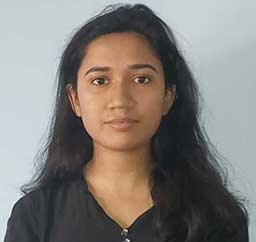
Learning with the experienced instructor at Skill Training Nepal has helped me boost my confidence to work as Digital Marketer.
Advanced Digital Marketing